NYX Ditech

Categories
Blog

Follow These Simple Tricks To Create A SEO Friendly Web Design

The visual appeal of any website holds a lot of importance but isn’t the only criteria for its success. No matter how cool your website looks, it’s a complete waste if no one knows that it even exists. That’s when SEO comes into play. Search Engine Optimization helps in driving more and more customers towards a website thereby increasing the chances of conversion. That said, it’s important for website designers to keep SEO at the back of their head while designing a website in order to increase its effectiveness. In this article, we will learn 7 interesting tips to create an impressive SEO friendly website design.

1. Integrate Social Media

Search engines give a lot of importance to Social Media. Websites with social media elements enjoy higher search engine rankings which lead to more traffic on the website and eventually boosts the conversion. So, include social media icons of all your social media accounts on your website. Besides, don’t restrict yourself to Facebook and Twitter only. A lot of other social media platforms like Snapchat, Youtube, Instagram, Flickr etc. are gaining popularity these days and must not be left out. This helps in creating a personable image of your brand in front of visitors.
Integrate Social Media

2. Optimize The Images On Your Website

It’s not enough to optimize the text of your website to make it user-friendly. The same level of optimization must be done for the images as well. Ensure that the images you use are of good quality but small in size. Ideally, images must be between 30kb to 100kb and have a resolution of 72dpi. Large images will increase the page load time of your website which can hamper your search rankings. While selecting an alternative text for your images, ensure that you use relevant keywords. Furthermore, in order to enhance your search rankings, it’s best to use only relevant images and place them appropriately on the website.
Optimize The Images On Your WebsiteImage Source: SEO Rave

3. Create SEO Friendly URLs For Your Web Pages

A complicated web page URL can adversely affect your search engine rankings. For Example – http://www.myfashion.com/products/item2?=6541 is not an SEO friendly URL as it doesn’t help the search engine to understand what this page is about. Instead, http://www.myfashion.com/Men/Shoes/Casual is way better as it clearly explains the details about the page. That said, avoid using too many categories. Another best practice is to use a hyphen instead of an underscore to separate words in the URL.
seo urls

4. The Web Design Must Be Responsive

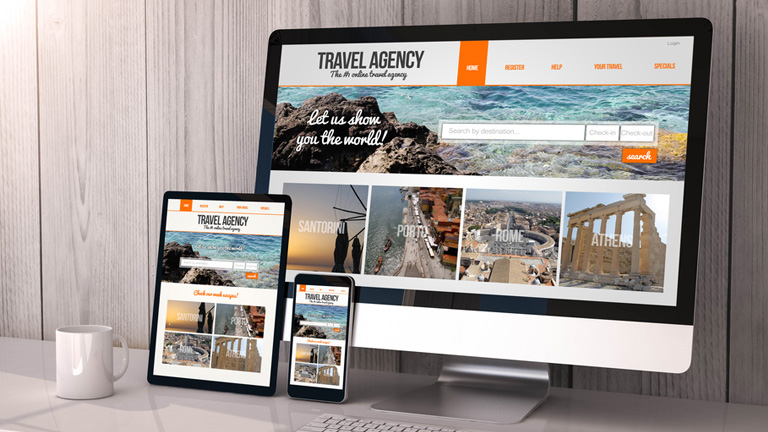
Your website design must be responsive and must be accessible from all the devices and across browsers. If visitors are not able to access the website from any particular medium, they are forced to bounce off and might not ever return back to your website. Also, the page loading time goes hand in hand with the accessibility factor. Eliminate any design elements that may cause the web pages to load slowly as it will hamper the search rankings directly.
responsive website

5. Don’t Overuse Javascript

It’s a common mistake done by web developers and designers to use Javascript in the entire site design. Search engines crawl through the website to index them and rank them accordingly. They will struggle to crawl through your website if your site heavily uses Javascript. Moreover, Javascript doesn’t perform very well especially in cases of mobile devices. Stay away from excessive use of Javascript and use it sparingly on your website to make your web design more user-friendly as well as SEO friendly.
javascript

6. Incorporate Keywords In The Entire Design

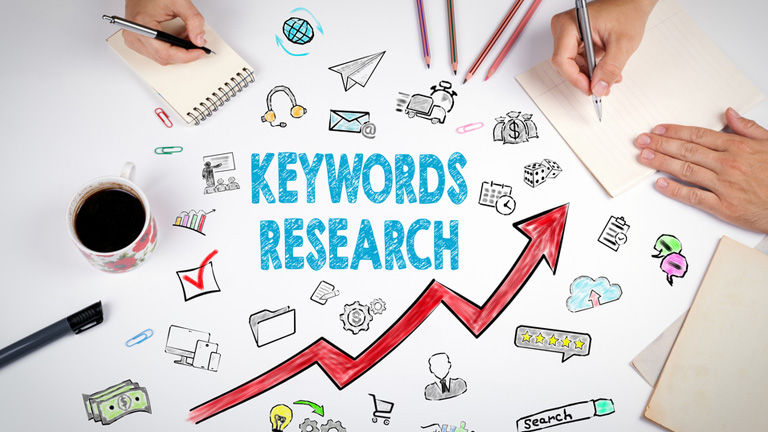
If you think that keywords can only be used in the copy of your website, then you’re sadly mistaken. Keywords can be easily incorporated into the entire website design. As mentioned earlier, keywords can be used as alternative text for images. Moreover, they can be used at many other places like in the title tag, H1 tags, website slogans, meta descriptions, meta keywords, navigation, H2 tags, bullet points, title attribute on links, H3 tags, breadcrumb trails, footer links, URL’s, file names, internal links and folder names.
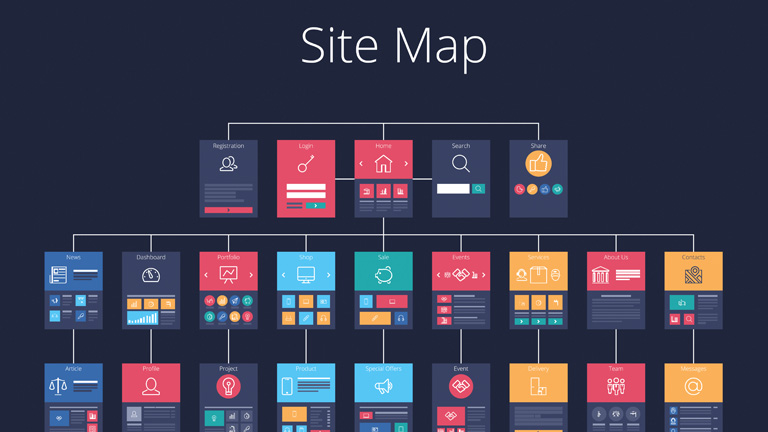
7. Use A Sitemap

The sitemap becomes very critical for a website especially when you have a dynamic site or a site with thousands or lakhs of pages. All the content heavy websites with a large number of pages and dynamic sites face a lot of difficulties while being crawled by search engines. To overcome this problem XML sitemap is used. XML sitemap ensures that a website is crawled easily by search engines, even if there are a lot of content-heavy pages in it.
sitemap

Designing a website not merely playing around with different layouts, themes and color schemes. It’s way more complex than that. It’s very important for designers to understand each and every element of web designing in order to create a successful web design. Talk to our design experts and discuss more about effective website designing.

Categories
Web Design

Avoid These 5 Things In Your Website Design To Stay Up To Date

If your website was designed a few years ago, there’s a bright possibility that there are a few elements which are unpleasant guests. They are outdated and need to be removed immediately from the website so that the website doesn’t look outdated. The world of web keeps changing every day and it’s essential that your website also keeps itself abreast with the new developments and advancements. This calls for a removal of certain outdated trends and practices. Here’s a list of 5 Don’ts that you should keep in mind while finalizing your website design.

1. Never Keep Social Media Icons In The Header

The header of your website is one of the most important areas of your website. This area gets the utmost attention and must be filled with the critical elements to which you want users to focus the most. Keeping flashy social media icons right at the top of your website layout is only inviting trouble in a quiet way. It takes a lot of efforts to get users on to the website, and by placing social media icons you’re guiding them to bounce off from your website to your social media handles. That will result in a high bounce rate.

Instead, you should use social media widgets which allow users to like your page etc. all within the environment of your website. That’s just a smarter way of letting people interact with you through social media.

2. Avoid Stock Photos

Pictures play a huge role when it comes to convincing users. Studies have shown that pictures have an excellent positive impact in terms of conversion as well. However, if they are not authentic and are simply obvious stock photos, users are not going to buy them. By obvious stock photos, we mean a smiling pretty girl’s face, the corporate handshake, the light bulb and much more. People have started undermining these stock photos and more than often make fun of the websites that use them.

When people will come across these stock photos on your website, they will not only find it cliched, they will also lose faith in your company. Instead, you can use custom photography and use real photos of your office, staff, and leaders. These are impossible to fake and are bound to create a solid impression

3. Get Rid Of The Email Links

If you have anything like staff Bio Pages, a very common practice is to use a little link to send email to that particular person. This is not the best of the practices. Firstly, it attracts email spamming. Spam marketers are always on a lookout for this kind of things. Secondly, it’s a real disaster when it comes to User Experience. Think about when you click on one of those. It opens up some kind of native email program on your computer like Microsoft Outlook or Apple email program. That’s just annoying.

Instead, you should use email sending forms. They are trackable, you can route them to different folders and subfolders using email programs, and can easily bifurcate client requests, internal queries etc.

4. Disable YouTube Suggested Videos

With the ongoing trends in website designing, videos have become a crucial part of any website design and YouTube is undoubtedly the biggest source of it. If you use videos anywhere on your website, you must disable the YouTube suggested videos option. What happens is that when a Youtube video plays, it makes some interesting suggestions about other videos that might be related to the video that you just watched. But, at best these videos might be simply unrelated and at worst they might be videos about your competitors.

Either way, it acts as a distraction for your users and has no connection whatsoever with what you want the users to do when they are on your website. This option can be disabled by going to the Share option, then to the embed option, then Show More and unchecking the Show suggested videos when the video finishes option.

5. Bye Bye PDFs

PDFs were used to be a workaround for the non-content managed websites for long. For example, if you need to add a new document or add a new menu on to your website you make a new PDF, upload it and replace the other one so that people can download and get the newest information.

But, these days almost every website is content managed using tools like WordPress where you can quickly log in and change information without actually touching the code. So basically, these PDFs are completely irrelevant today. Still, there are a lot of websites, especially restaurant websites which frequently change their menu by changing PDFs rather than actually changing on the website which is a complete NO NO.

Conclusion

If you’re playing the game of web, you cannot be stagnant. Trends which are super cool today may find a need to be thrown away tomorrow. The key is to understand what is working today, what needs to be forgotten, and predicting what future holds for us. Get in touch with our design experts to get more insight regarding the same.

Categories
Design UX

Human Faces Can Be A Great Tool To Increase User Experience

In a quest to increase and better the User Experience, designers try to use plenty of techniques and new ideas. However, they often neglect the fact that human faces can be a compelling tool in a designer’s toolbox. Human faces are bound to get more attention as compared to any other visual graphics. Moreover, they evoke human emotions which can lead to an emotional interaction and increased engagement. The reactions and behaviors of users can be easily influenced by the use of human faces. Here are a few factors that highlight how faces can be very effective in enhancing UX of any website.

1. Creates A Stunning First Impression

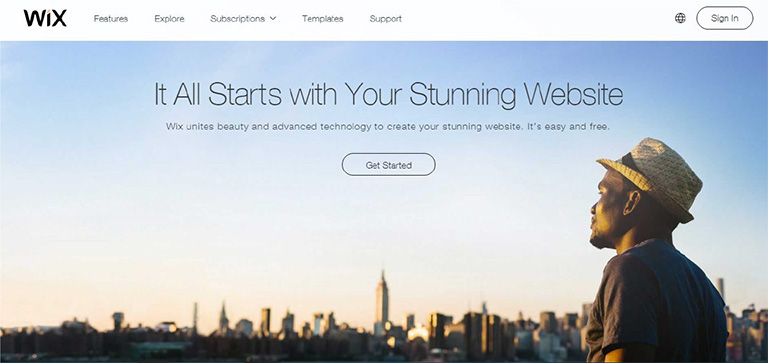
No matter what kind of content you have on your web page, images of faces will draw immediate attention as compared to other content. Many eye tracking studies have confirmed this fact and has also stated that the users keep moving their attention back and forth between these face images and other content. A face will create a solid first impression of your website on users. It doesn’t take a long for users to form an opinion about a website during their first interaction. 50 milliseconds approximately. That’s really quick and therefore a face can act as a powerful tool to create a significant impact.

wix

Pic Courtesy: Wix.com

2. Effectively Guides a Visitor’s Line Of Sight

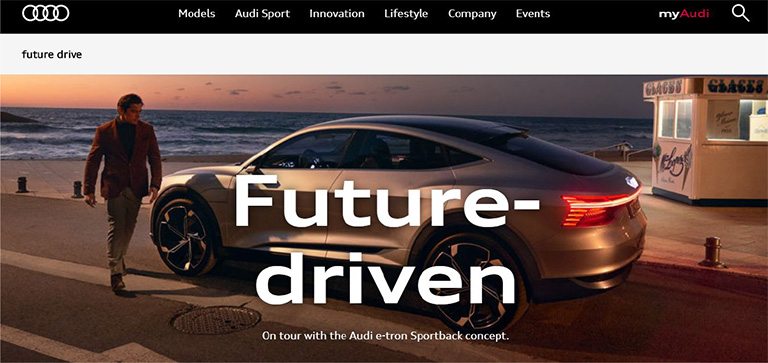
Once a user’s attention is grabbed you can also guide his line of sight with proper placement and use of face images. As humans, we have a tendency to follow the line of sight of other people. It simply means that if a face image is looking in a particular direction or towards a particular section, users will also shift their focus in that direction. Designers can use a strategically placed face image to direct users’ attention to important content and call-to-action buttons.

audi

Pic Courtesy: Audi.com

3. Facial Expressions Evoke Emotional Responses

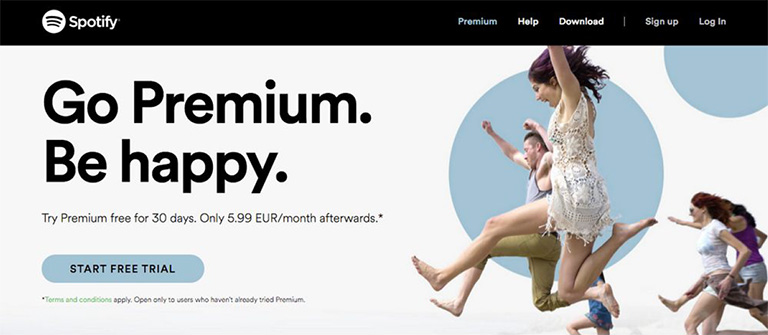
We all have come across the saying “A picture is worth a thousand words ” and this could not be truer in case of a face image. The human face is capable of expressing and showcasing a large number of emotions. A designer can convey emotions through facial expressions on human faces. The expression on the faces of images used can evoke similar emotions in users. If users view a genuinely happy face, they will most likely develop the same emotion which will influence their feelings for your website or the brand as a whole. Studies confirm that emotions in designs directly impact the conversion ratio.

spotify

Pic Courtesy: Spotify.com

4. Builds Trust

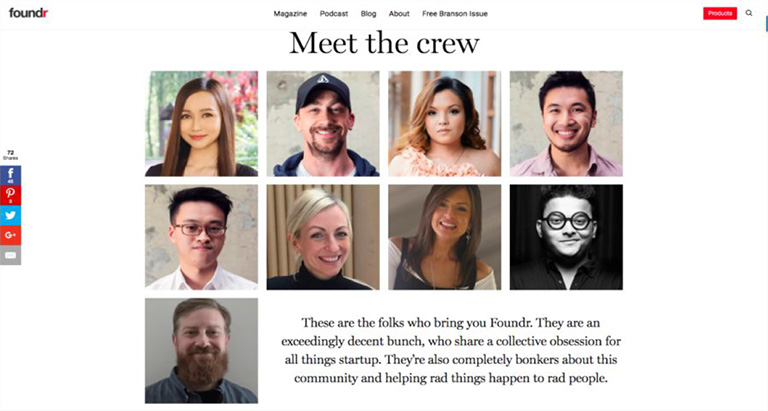
Building trust among users is very critical to the success of any business. Human faces can help a lot in establishing a sense of trust. Trust is the foundation of any successful and loyal customer base. The digital world is full of products, services, and brands. Users are always skeptical and don’t trust anyone easily. Showcasing real faces on the website portrays your openness and trustworthiness. A lot of companies have followed this and have opted a new kind of personalized ‘About Us’ section. They depict faces of CEOs, teams, and other members of the company to boost up trust. It is very useful for industries like medicine, childcare etc. where trust is a big factor.

founder

Pic Courtesy: foundr.com

5. Generates Visual Appeal

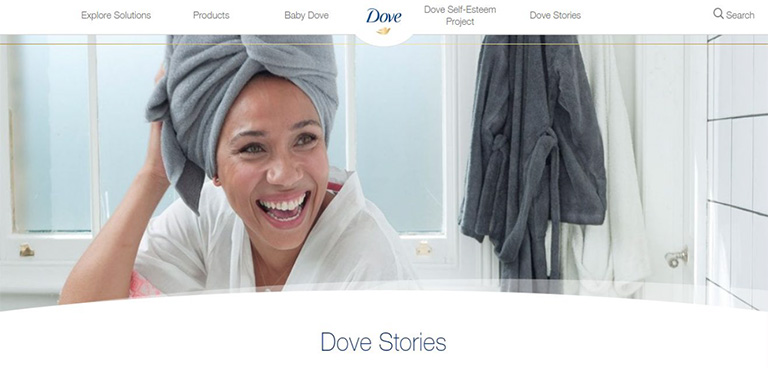
To a great extent, a product’s success is related to its visual appeal. A poorly packaged product might not get the sales it deserves. Same is the case with websites. No one wants to see an ugly design. Everyone prefers an attractive design. Human faces are a great way to enhance the aesthetic aspects of your design. Human faces provide a personal touch to users and they feel more connected. A website with human faces makes the users believe that there are real people behind this design. A lot of websites lack this personal touch which cost them deeply in terms of conversion ratio.

dove

Pic Courtesy: Dove.com

To Sum It Up

The effective use of human faces in UX design can create a huge impact on user experience. They are a great source to catch eyeballs immediately, evoke emotions, build trust and influence the behavior of users. Designers must use human faces more often while designing a website to shape up the overall experience of users. We have a team of experts who constantly infuse similar design tricks to scale up the user experience. Have a word with them and get a stunning website design.